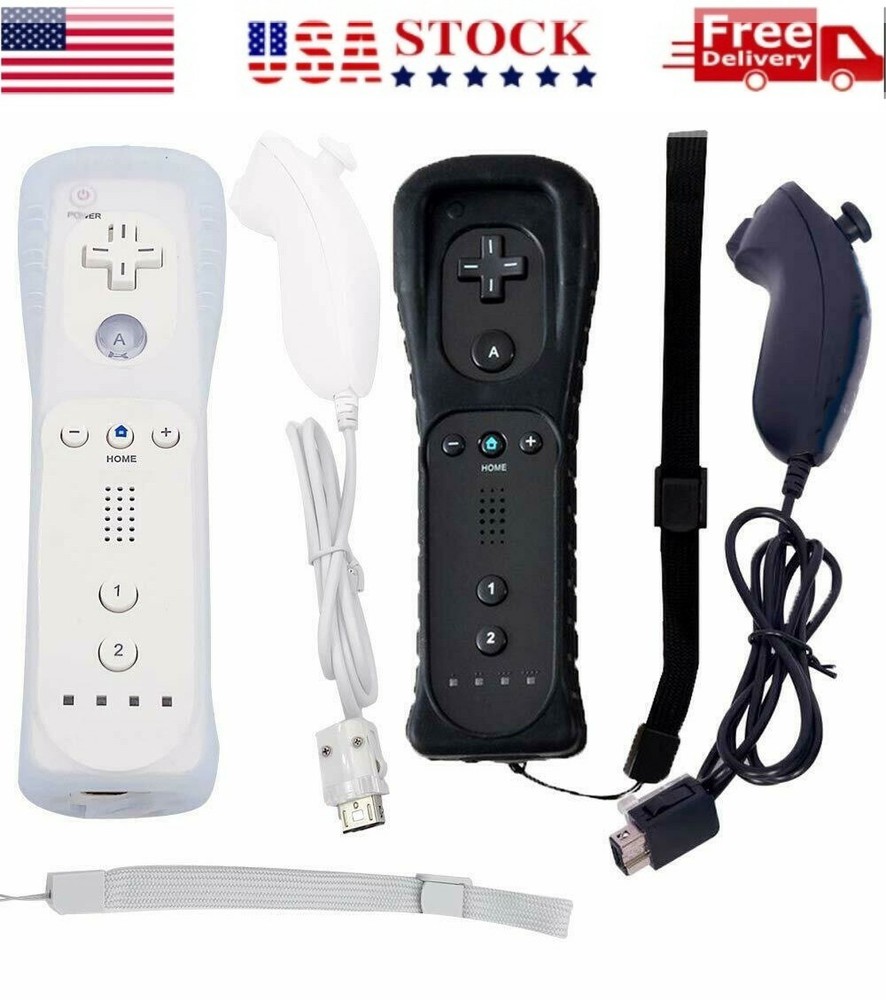


Remote Controller And Nunchuck Gamepad For Nintendo Wii /Wii U No Motion Plus
Specifications
| Return Shipping Will Be Paid By | Seller |
| All Returns Accepted | Returns Accepted |
| Item Must Be Returned Within | 30 Days |
| Model | Wii/ Wii U |
| Country/Region Of Manufacture | China |
| Material | Plastic |
| Connectivity | Wired |
| Features | Anti-Scratch |
| Compatible Model | For Nintendo Wii U |
| Color | Black, White |
| Cable Length | 3ft |
| Brand | Unbranded |
| Platform | Nintendo Wii |
Remote Controller And Nunchuck Gamepad For Nintendo Wii /Wii U No Motion Plus Description: The remote controller combines the function of pointer, speaker and shock vibration together. Connect with the console via Bluetooth by simply pressing the sync button.Dock both of your remote and plug it into any USB port. No need to remove the battery. Powered by 2 AA batteries (not included)Nun chuck controller features 3-axis motion sensor as Wii Remote. The nun chuck is ergonomic design, Comfortable to hold, agile to play.100% extremely strict test for all of our products before sold, bringing you with a relaxed game time.Third party product, not made by Nintendo,fits for Wii and Wii U console very perfectly, natural, compatible with Wii, Wii U, Wii Mini. No motion plus Inside. Features:Bluetooth Controller for Wii/Wii U ConsoleWireless Bluetooth connection with range up to 5 metersThis is a high sensitive and accurate Wireless Remote Controller that is compatible for Nintend Wii console. It is suitable for Wii games and also supports for Wii U most of games. Built-in speaker( no motion plus), features vibration feedback functions. Powered by 2 AA batteries (batteries are not included) Package Content Description: Nunchuck Package Includes: 1x Nunchuck (Color as you choose) Remote Package Includes: 1x Remote (Color as you choose) Remote+ Nunchuck Set Package Included: 1x Nunchuck Controller1x Remote Controller How to Pair the Remote Controller with Wii/Wii U Console?Step 1: Power on the console.Step 2: Open the back cover of remote controller, then put into two new AA batteries. You will find a small red SYNC button beside the battery slot. Press SYNC button, FOUR lights (the Player LED) on the controller will flash. Step 3: Open the SD slot on the console, you will find a red SYNC button next to the SD slot. Then press this SYNC button.Step 4: Wait for a few seconds, the Player LED on the controller will stop flashing and light up when paring is complete. The Player LED indicates the player number of the controller
Related Items